Online store
Product form
The product form block adds fields to your gift card product page capturing the additional information Cardigan needs to issue a card - who it's for, who it's from, an optional greeting, and when it should be delivered.
The values entered are attached to the line item as properties, which Cardigan reads when provisioning the card with your provider.
Where to put it
We recommend creating a dedicated product template for your digital gift cards and adding the block to it, rather than adding it to the template used by all your products.
Within that template, the block is normally placed just below the quantity selector, immediately before the add to cart button.
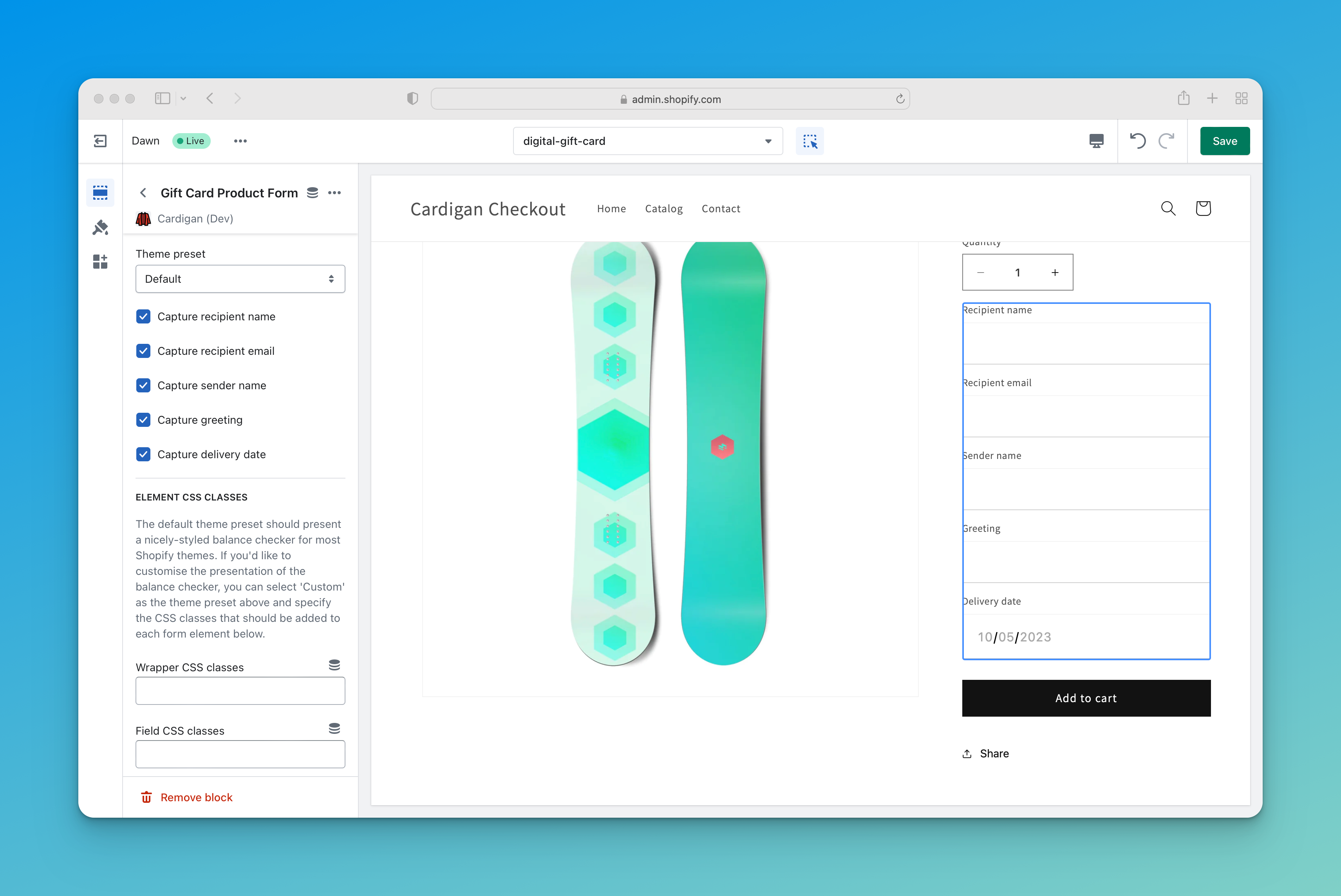
Settings
Captured fields
Each field can be turned on or off independently, so you only ask for what your gift card program actually needs:
- Capture recipient name
- Capture recipient email
- Capture sender name
- Capture greeting, with an optional Greeting character limit to keep messages within whatever your provider supports. Leave the limit blank for no restriction.
- Capture delivery date, letting the customer schedule the card to arrive on a future date.
Delivery dates
How a future delivery date is honoured depends on your provider. Some accept a delivery date directly; for others, Cardigan holds the card and provisions it at the appropriate time.
See your provider's page for details.
Theme preset
Applies CSS classes matched to your theme so the fields inherit your existing styling. Presets are available for a number of popular themes in addition to Shopify's reference themes.
Choose Custom to set the classes yourself. See Theme presets and styling for how presets work.
CSS classes
When the theme preset is set to Custom, you can specify the classes applied to the wrapper, each field, the inputs and the labels.
Use placeholders on inputs
Renders each field's name as a placeholder inside the input rather than relying on a visible label. Useful for themes that visually hide labels, and set automatically by presets for the themes that do this.
Product form ID pattern
An advanced setting controlling how Cardigan's inputs are associated with your theme's product form.
The theme presets set this correctly for the themes they target, so you shouldn't need to touch it. If gift cards are reaching the cart without their recipient details attached, see Product form association.
Line item property names
The properties Cardigan writes are named _recipient_name, _recipient_email, _sender_name, _greeting and _delivery_date by default.
The leading underscore keeps them hidden from the customer in the cart and at checkout. If these names clash with something else in your setup, they can be changed - see Line item properties.
Translating the form
Field labels are editable through Shopify's theme content editor, under Online Store > Themes > ... > Edit default theme content.