Checkout
Checkout extensions
Integrating Cardigan with your Shopify checkout allows customers to redeem their gift cards during the purchase flow.
Cardigan exposes gift card redemption via one of two checkout UI extensions. Both provide an expandable form for a customer to enter their card number (and PIN, if your provider requires one) before attempting to apply it to their checkout.
Shopify Plus only
Checkout extensions require Shopify Plus. If your store is on Plus, this is the way to offer gift card redemption.
On other plans, cart redemption provides a fallback on the cart page, though it carries limitations that checkout extensions don't.
You can learn more about checkout extensions and how to add them to your checkout from the Shopify documentation.
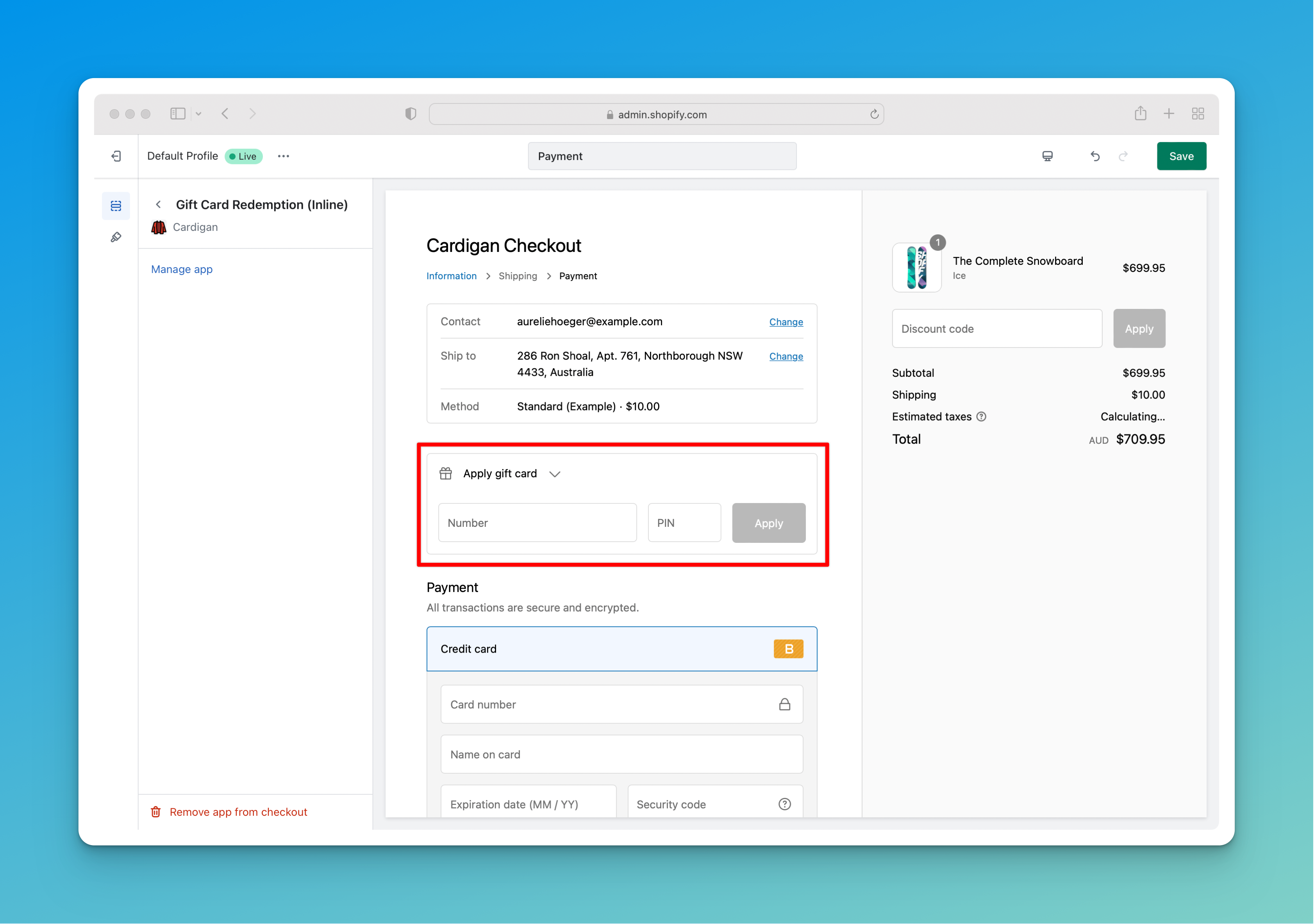
Inline checkout extension
The inline checkout extension can be placed in any section of any step of the checkout body.
Typically, it is placed above or below the payment methods section of the final payment step.
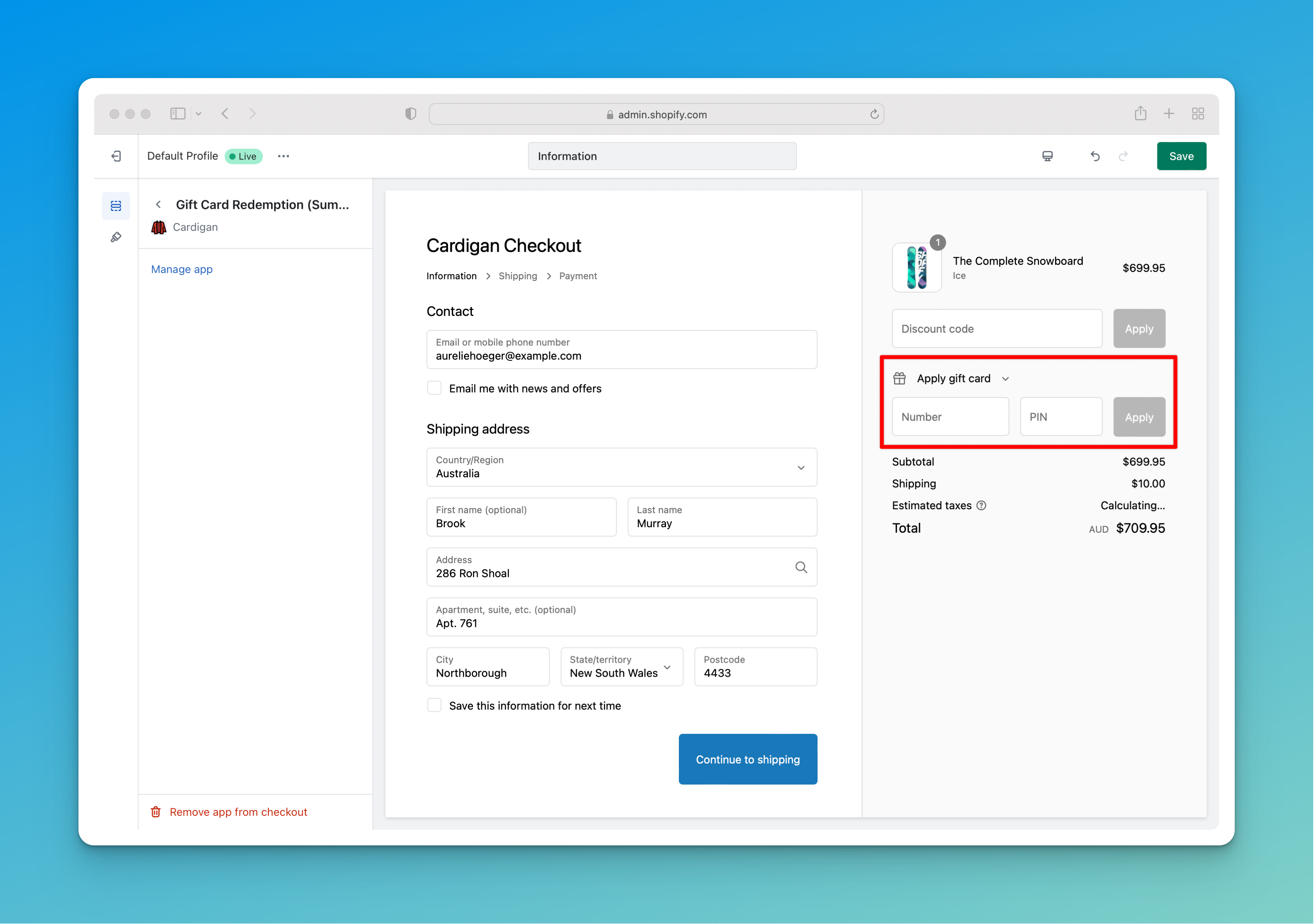
Summary checkout extension
The summary checkout extension renders in the sidebar of the checkout, underneath the standard Shopify discount code input.
Choosing an extension
The two extensions offer the same functionality in different positions, so you should add one or the other rather than both.
Pick whichever fits your checkout layout - the summary extension sits naturally alongside the existing discount code input, while the inline extension gives you control over exactly which step and section the form appears in.
Extension settings
Both extensions expose the same settings, configured per extension in the checkout editor:
- Supported currencies: a comma-separated list of ISO-4217 currency codes. When set, redemption is only offered when the customer is checking out in one of those currencies. Leave blank for no restriction.
- Supported countries: a comma-separated list of ISO-3166 alpha-2 country codes. When set, redemption is only offered when the customer is shipping to one of those countries. Leave blank for no restriction.
- Prevent currency conversion: when enabled, any applied gift cards are removed if the customer changes the currency of the checkout.
The wallet synchronisation extension
If your store synchronises customer wallets with Shopify store credit, there's a third checkout extension to add - Wallet Synchronisation. It's unrelated to gift card redemption, renders nothing for the customer, and is added alongside whichever of the two extensions above you're using rather than instead of it.
See Setting up wallets for what it does and how to add it.
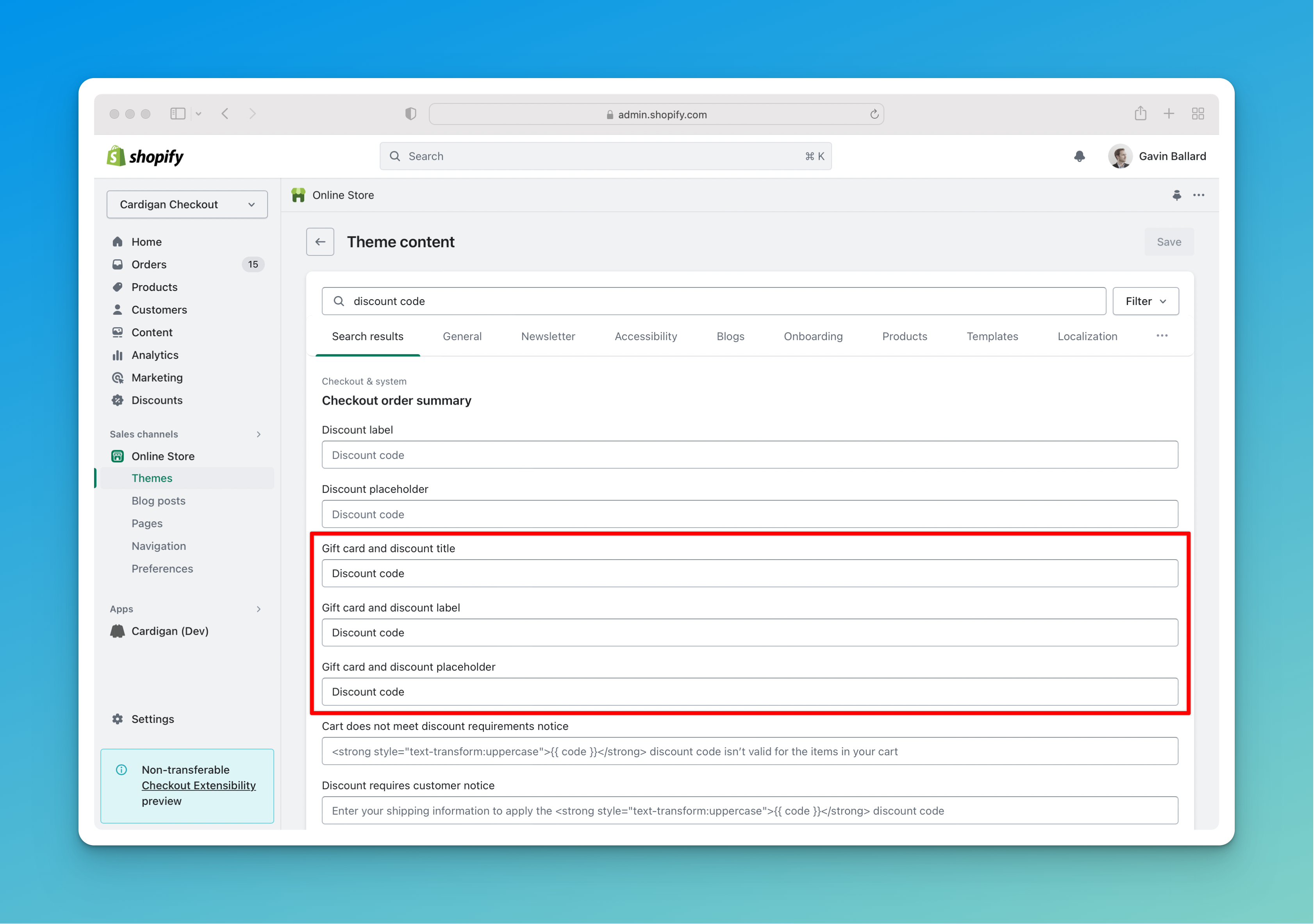
Updating discount code input language
Cardigan's functionality can't be hooked directly into the standard Shopify discount code and gift card input, so customers need to use the Cardigan form to apply their card.
To avoid confusion about where a gift card should be entered, we recommend updating your Shopify theme's language content to remove any reference to "gift cards" from that input component.