Online store
Balance checker
The balance checker block provides a simple form that accepts a gift card number and PIN, and performs a live balance check against your external gift card provider.
Where to put it
The balance checker can be added to any page or section in your theme. Common choices include:
- a dedicated "Check your gift card balance" content page;
- the customer account section, so logged-in customers can check cards they've been given;
- your theme's footer, making it available from every page.
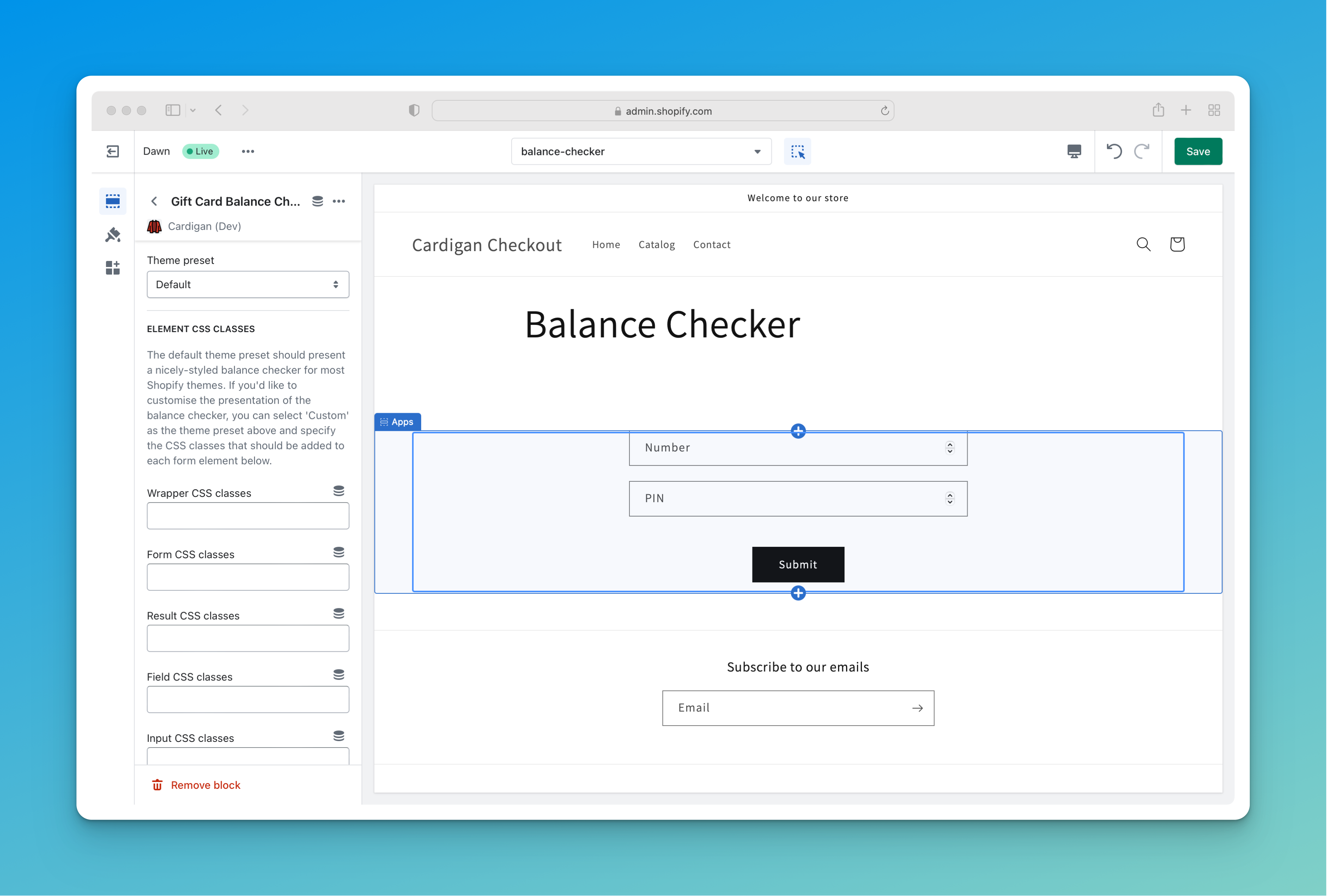
You can watch the Cardigan onboarding video to see an example of adding the balance checker to a dedicated content page in the Dawn theme.
What the customer sees
The block renders a card number field, a PIN field, and a submit button.
Whether the PIN field appears - and whether it's mandatory - follows your store's PIN behaviour setting, so you don't need to configure it here.
On submission, the balance is looked up against your provider and displayed above the form. If the lookup fails - an unrecognised number, an incorrect PIN, an inactive or expired card - the reason is shown in the same place.
Settings
Theme preset
Applies CSS classes matched to your theme so the form inherits your existing styling. Choose Custom to set the classes yourself.
See Theme presets and styling for how presets work.
CSS classes
When the theme preset is set to Custom, you can specify the classes applied to the wrapper, form, result message, each field, inputs, labels and the submit button.
This lets you match the block to your theme exactly without writing any CSS of your own.
Translating the form
Field labels, the submit button and the result messages are all editable through Shopify's theme content editor, under Online Store > Themes > ... > Edit default theme content.
The default messages change depending on your PIN behaviour setting - for example prompting for "a gift card number and optional PIN" when PINs are optional - so if you customise them, check each variant.